
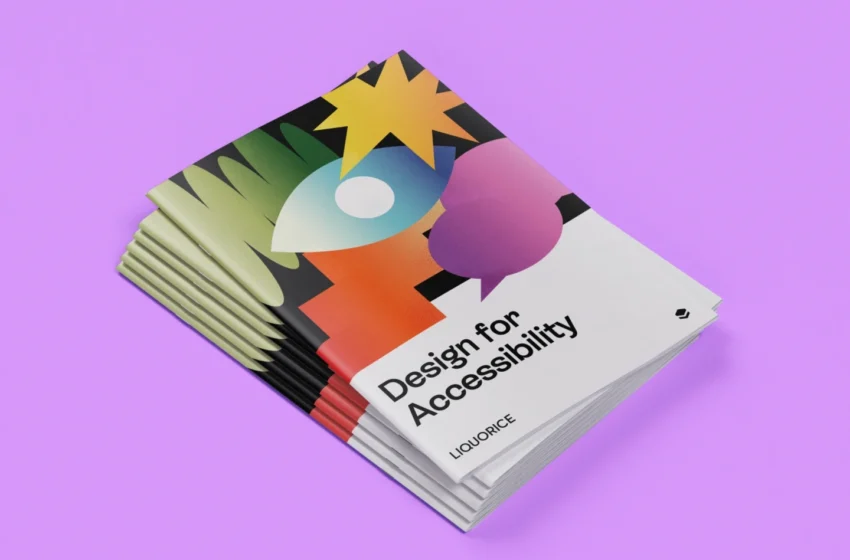
Introduction: Why Accessibility Has Become a Fundamental Part of Modern Web Design
The internet was created to connect people, share information, and make digital experiences available to everyone. However, for millions of users around the world, accessing websites is still unnecessarily difficult because many digital products are not designed with accessibility in mind.
Accessibility design is no longer a niche topic reserved only for specialists. It has become a core principle of modern web development, user experience design, and digital strategy. A website that is accessible does not only support people with disabilities — it creates a better experience for all users by improving clarity, usability, navigation, and overall interaction.
People access websites in different ways. Some users navigate with screen readers because they are blind or have low vision. Others rely on keyboard controls because they cannot use a traditional mouse. Some users experience hearing limitations and need captions for video content. Others may have cognitive differences, temporary injuries, language barriers, or simply use devices in challenging environments such as bright sunlight, noisy locations, or slow internet connections.
A truly accessible website recognizes these different situations and removes unnecessary barriers.
Accessibility design is about creating digital experiences that are flexible, understandable, and welcoming. It focuses on making sure that everyone has an equal opportunity to access information, use services, complete tasks, and participate online.
What Is Accessibility Design?
Accessibility design refers to the process of creating websites, applications, and digital products that can be used by people with a wide range of abilities and limitations.
The goal of accessibility is not to create separate versions of websites for different groups of users. Instead, it focuses on building one experience that works effectively for as many people as possible.
The foundation of modern accessibility standards comes from the Web Content Accessibility Guidelines (WCAG), developed by the World Wide Web Consortium (W3C). These guidelines provide recommendations for making digital content more accessible through better design, development practices, and content creation.
WCAG is based on four main principles, often referred to as POUR:
A website should be Perceivable, meaning users must be able to recognize and understand information presented on the page.
A website should be Operable, meaning users must be able to navigate and interact with it using different methods.
A website should be Understandable, meaning content and interfaces should be clear and predictable.
A website should be Robust, meaning the website should work reliably with different browsers, devices, and assistive technologies.
These principles create the foundation for designing websites that serve a much wider audience.
Why Website Accessibility Matters for Businesses
Accessibility is often discussed from a social responsibility perspective, but it also provides significant business advantages.
A website that excludes certain users limits its own potential audience. According to the World Health Organization, more than one billion people worldwide live with some form of disability. These users represent a significant group of potential customers, employees, readers, and community members.
When businesses invest in accessibility, they improve their ability to reach more people.
Accessible websites also tend to provide better experiences for everyone. Clear navigation helps all visitors find information faster. Well-structured content improves search engine optimization. Captions improve video usability not only for people who are deaf or hard of hearing but also for users watching videos without sound.
Accessibility also strengthens brand reputation. Companies that prioritize inclusive experiences demonstrate that they value their customers and understand the importance of equal access.
In many regions, accessibility is also becoming a legal requirement. Governments and organizations increasingly use accessibility standards as benchmarks for digital compliance. Businesses that ignore accessibility may face legal challenges, but more importantly, they risk losing trust from their audiences.
Understanding Different Types of Digital Accessibility Needs
Creating accessible websites requires understanding that users interact with technology in many different ways.
Visual Accessibility
Visual accessibility focuses on supporting users with blindness, low vision, color blindness, and other visual differences.
Many websites rely heavily on visual information without providing alternatives. For example, an image without alternative text cannot be understood by someone using a screen reader.
Good visual accessibility means ensuring that important information is not communicated only through images, colors, or visual positioning.
A user should be able to understand the purpose of an image through descriptive alternative text. Text should have enough contrast against the background to remain readable. Interfaces should continue to function when users increase text size or zoom into the page.
Designers should also avoid relying only on color to communicate meaning. For example, marking required fields only with red color may create problems for users with color vision deficiencies. Adding text labels or icons creates a more inclusive experience.
Auditory Accessibility
Many digital experiences today include video, podcasts, animations, and audio content. Without proper accessibility features, these experiences can exclude users with hearing disabilities.
Captions and transcripts are essential tools for making audio content accessible.
Captions allow users to follow spoken information while also understanding important sounds, such as music, alerts, or environmental noises.
Transcripts provide another way to access information and can also improve search visibility because search engines can understand written content more easily than audio files.
Accessible multimedia benefits everyone. Many people watch videos in public spaces where sound is unavailable or prefer reading information instead of listening.
Motor Accessibility
Some users experience physical limitations that make traditional mouse-based navigation difficult or impossible.
Accessible websites should allow users to complete tasks using keyboards, voice controls, switches, or other assistive technologies.
Every interactive element should be reachable without requiring precise movements. Buttons, links, and navigation controls should have sufficient size and spacing to reduce accidental clicks.
Forms should also be designed carefully. Users should not have to complete unnecessary steps or repeat information because of poor interaction design.
Cognitive Accessibility
Cognitive accessibility focuses on making websites easier to understand and use.
Users with learning disabilities, attention differences, memory challenges, or neurological conditions may struggle with complicated layouts, confusing instructions, or unpredictable interfaces.
Clear language, consistent navigation, simple page structures, and logical content organization help create better experiences.
A website should guide users instead of forcing them to figure out how it works.
Creating Clear and Understandable Website Navigation
Navigation is one of the most important parts of accessibility design.
A website can contain excellent information, but if users cannot find it easily, the experience fails.
Accessible navigation should be predictable and consistent. Menus should appear in familiar locations. Navigation labels should clearly describe where they lead. Users should always understand where they are within the website.
Avoid vague navigation terms such as “Click Here” or “More.” Instead, use descriptive labels that explain the destination.
For example, “Download Accessibility Guide” provides much more information than “Download.”
Breadcrumbs, search functions, and clear page structures also help users understand their location and move through complex websites more confidently.
Designing Accessible Typography and Content
Typography plays a major role in accessibility.
A beautiful design can become unusable if text is difficult to read.
Accessible typography focuses on readability rather than decoration. Font choices, spacing, alignment, and size all influence how easily users can consume information.
Sans-serif fonts are often preferred because they are generally easier to read on digital screens. However, the most important factor is not the font category itself but how the typography system is implemented.
Text should have sufficient size, comfortable line spacing, and clear hierarchy.
Content structure is equally important. Long blocks of text can create barriers, especially for users with cognitive disabilities or attention difficulties.
Using headings, short paragraphs, descriptive sections, and logical organization makes information easier to scan and understand.
The Importance of Color and Contrast
Color is one of the most common accessibility challenges in web design.
Designers often choose colors based on branding or aesthetics, but accessibility requires considering whether users can actually perceive the information.
Low contrast between text and backgrounds makes reading difficult, especially for users with visual impairments or older users.
A strong accessibility approach ensures that text remains readable in different environments, including bright sunlight or low-quality displays.
Contrast should also be considered for buttons, icons, forms, and interactive elements.
A visually attractive website should never sacrifice usability.
Making Websites Keyboard Friendly
Keyboard accessibility is one of the most important technical requirements for inclusive websites.
Many users cannot operate a mouse and depend entirely on keyboard navigation.
A keyboard-accessible website allows users to move through interactive elements using keys such as Tab, Enter, and arrow keys.
Every important function should work without requiring a mouse.
Users should also be able to see their current position on the page. A visible focus indicator helps people understand which element is currently selected.
Removing default focus styles without providing a replacement creates unnecessary barriers.
Accessible Forms and User Interactions
Forms are often where accessibility problems become most noticeable.
A user may successfully browse a website but fail when trying to register, purchase a product, or contact a company.
Accessible forms require clear labels, understandable instructions, and helpful error messages.
Labels should explain exactly what information is required. Placeholder text should not replace proper labels because it disappears when users begin typing.
When errors occur, users should receive clear explanations about what went wrong and how to fix the problem.
Good error handling is not just about preventing mistakes — it is about helping users recover from them.
Designing for Mobile Accessibility
Accessibility does not stop at desktop websites.
Mobile accessibility is equally important because many users access the internet primarily through smartphones and tablets.
Responsive design is a key part of accessibility. Websites should adapt to different screen sizes without losing functionality.
Buttons should be large enough to tap easily. Text should remain readable without excessive zooming. Navigation should work smoothly with touch controls and assistive technologies.
Mobile accessibility also improves the experience for users with temporary limitations, such as someone using a device with one hand or navigating in difficult conditions.
Testing Accessibility: Why Real Users Matter
Accessibility cannot be achieved through assumptions.
Automated accessibility tools are useful for identifying technical problems, but they cannot understand every user experience.
A tool may detect missing alternative text, but it cannot determine whether the description actually makes sense.
It may confirm that a button exists, but it cannot tell whether a screen reader user understands its purpose.
Real accessibility testing involves observing people with different abilities using the website.
Testing with screen readers, keyboard navigation, magnification tools, and users with disabilities provides insights that automated systems cannot provide.
Accessibility improves when organizations listen directly to the people who experience barriers.
Accessibility as an Ongoing Design Practice
Accessibility is not a one-time project that can simply be completed and forgotten.
Websites constantly change. New pages are added, content is updated, and new features are introduced.
Without ongoing attention, accessibility problems can return.
The most successful organizations treat accessibility as part of their design culture. It becomes integrated into research, design, development, content creation, and quality assurance.
When accessibility is considered from the beginning, it becomes easier, more affordable, and more effective.
The Future of Accessible Web Design
The future of web design is moving toward greater personalization and inclusion.
New technologies, including artificial intelligence and adaptive interfaces, create opportunities for more flexible experiences.
Websites may increasingly adjust themselves based on individual user needs, preferences, and assistive technologies.
However, technology alone will not solve accessibility challenges. The foundation will always remain thoughtful design, empathy, and understanding of different human experiences.
The best websites of the future will not simply be visually impressive. They will be experiences where everyone feels welcome, independent, and capable.
Conclusion: Building a Web That Works for Everyone
Accessibility design is not only about meeting guidelines or avoiding compliance problems. It is about creating digital spaces where more people can participate.
A website designed with accessibility in mind becomes easier to use, easier to understand, and more valuable for everyone.
By focusing on inclusive navigation, readable content, flexible interactions, accessible media, and continuous testing, designers and businesses can create experiences that welcome a wider audience.
The internet should be a place where people are not limited by the way they see, hear, move, learn, or interact. Accessibility design helps make that vision a reality.